Why “Just Add One Feature” Is Rarely Just One Feature
2026.09.01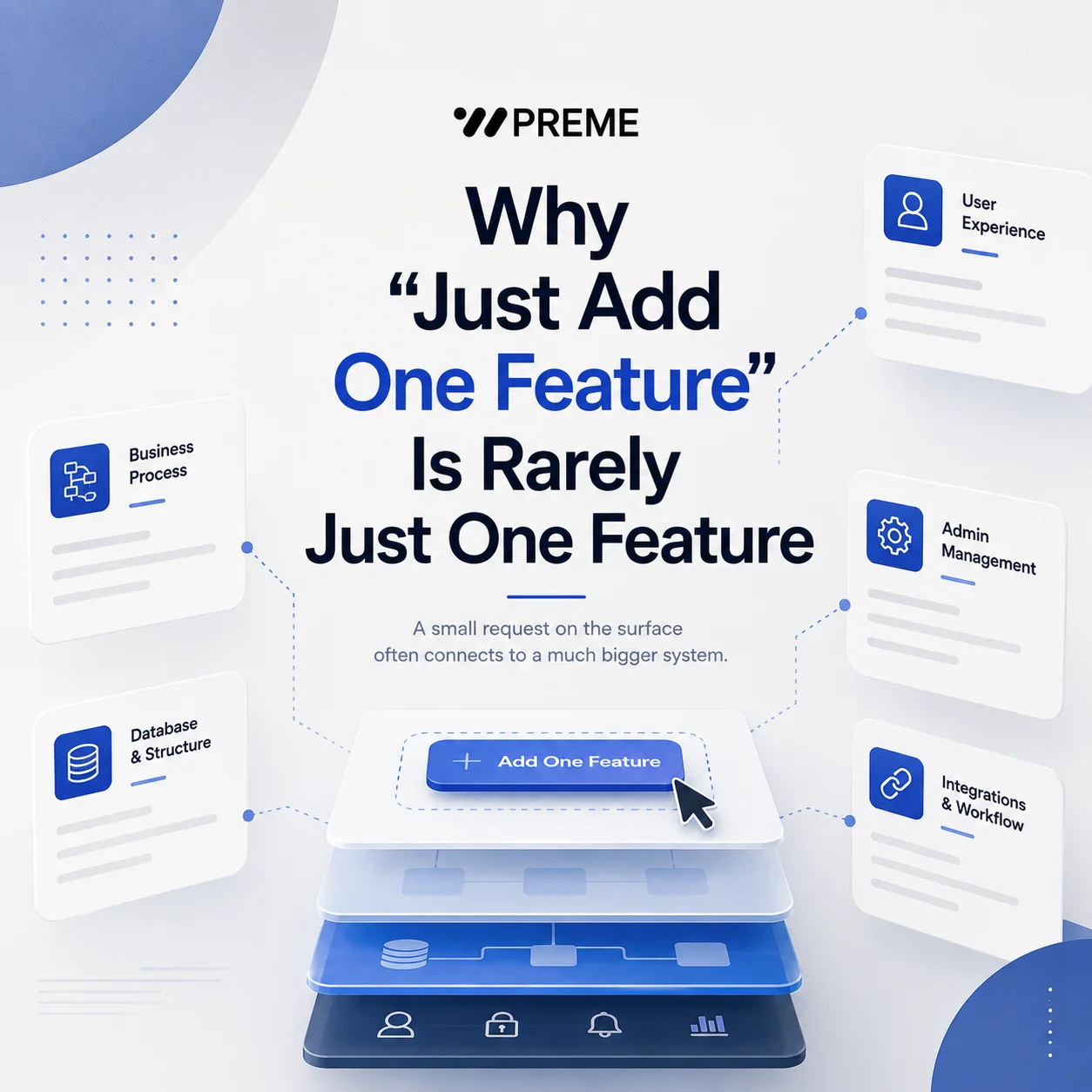
Why “Just Add One Feature” Is Rarely Just One Feature
A new website feature can sound simple during a project discussion.
“Can you add a login?” “We just need a product search.” “Can customers request a quote from the website?”
From the user’s perspective, each request may appear to involve only one button, one form, or one additional page.
But in custom web development, what appears on the screen is often only a small part of the actual work.
A feature may require new data structures, user states, permissions, administrator controls, notifications, integrations, and exception handling behind the interface.
> The visible size of a feature does not always reflect its development scope.
This is why a website project cannot always be estimated by counting visible pages or buttons. The more important question is what needs to happen before, during, and after a user interacts with that feature.
A Login Button Is Not Just a Login Button
Consider a company that wants to provide a private area for dealers or distributors.
On the website, the visible journey may look simple:
Dealer Login → ID & Password → Dealer Page
Behind that flow, however, several decisions need to be made.
How are dealer accounts created? Can users register themselves, or does an administrator create each account? Does a new account require approval? What happens when a user forgets a password?
The system may also need to distinguish between different types of users.
A general visitor might see public product information, while an approved dealer can access price lists, technical documents, order information, or restricted resources.
The administrator then needs a way to create users, approve accounts, change permissions, suspend access, and determine which content each user group can see.
What looked like one login page has now become an authentication and permission system.
Login → Authentication → User Roles → Restricted Content → Account Management → Admin Control
The size of the feature is therefore better measured by its underlying workflow than by the amount of space it occupies on the screen.
Search Becomes More Complex When There Is More Data
Search is another common example.
A company may initially request a simple search box for its product website. If there are only a few pages, basic keyword search may be enough.
But imagine a manufacturer with hundreds of products.
Visitors may want to search by product name, model number, category, specification, application, material, or other technical conditions. They may also expect several filters to work together.
At that point, the project is no longer just about placing a search field at the top of a page.
The development team has to determine which data can be searched, how products are categorized, how filters interact with one another, how results are displayed, and what happens when no matching product exists.
The administrator also needs a reliable way to enter and update the information that powers those results.
> Search Box → Searchable Data → Categories → Filters → Results → Product Detail → Admin Data Management
The visible search interface may occupy only a small section of one page, but the feature depends on the structure of the entire product database.
This is why adding search to an existing website can be very different from designing a searchable product system from the beginning.
A Quote Request Can Become a Business Workflow
A quote request provides another useful example.
At its simplest, a form might collect a name, company, email address, phone number, and message before sending the information to an inbox.
For some businesses, that is enough.
For others, the same feature may need to do much more.
A customer might select a product, specify a quantity, upload drawings, choose a destination country, or provide project requirements.
Once the request is submitted, the website may need to store the information in a database rather than simply send an email.
The inquiry could then be assigned to a sales representative based on region, product category, or inquiry type. An administrator may need to change the status from “New” to “Reviewing,” “Quoted,” or “Completed.”
Some companies may also want the inquiry transferred automatically to a CRM or another internal system.
The actual workflow can become:
Customer → Quote Request → Database → Sales Assignment → CRM → Follow-up
This is significantly different from building a basic contact form, even though both may appear to the visitor as a form followed by a Submit button.
The business process behind the interface determines the real development scope.
Every Feature Also Needs an Admin Side
One of the easiest parts of a website project to underestimate is administration.
Visitors see the front end.
The company operating the website has to manage everything behind it.
If customers can create accounts, someone may need to manage those accounts. If products can be searched and filtered, someone needs to maintain the product data and categories. If customers submit quote requests, the company may need to view, classify, assign, export, or update those inquiries.
A feature therefore often has two sides.
User Side What can the visitor see, enter, search, download, request, or submit?
Admin Side What can the company register, edit, approve, classify, delete, monitor, or export?
The admin side may never appear on the public website, but it can represent a significant portion of the development work.
This becomes especially important for websites that will be actively managed after launch.
> A feature that works well for customers but creates unnecessary manual work for employees is not fully optimized.
Good website development therefore considers not only the visitor experience but also how the business will operate the feature every day.
One Feature Can Affect Existing Systems
Another reason a “small” feature can grow in scope is that websites rarely operate in complete isolation.
A new function may need to interact with systems that already exist.
For example, adding member accounts could affect an existing customer database. Adding online payments may require a payment gateway and transaction management. Adding product availability may require inventory data from an ERP. Adding automated sales routing may require a CRM integration.
The development question changes from:
“Can we add this feature?”
to:
“How should this feature exchange data with the rest of the business?”
This can involve API communication, data mapping, authentication, synchronization rules, error handling, and security considerations.
A simple interface change can therefore influence the architecture behind the website.
That is why external integration requirements should ideally be identified before development begins, rather than added after the main website structure has already been completed.
Define the Workflow Before Estimating the Feature
When planning a custom website, it is useful to avoid describing requirements only by their visible interface.
Instead of saying:
> “We need a member login.”
Define who can create an account, whether approval is required, which users can access which content, and what administrators need to control.
Instead of:
> “We need product search.”
Define which product attributes should be searchable, which filters are required, how product data will be managed, and whether that information already exists in another system.
Instead of:
> “We need a quote form.”
Define what information customers must provide, where the inquiry should be stored, who receives it, how it will be managed, and whether it needs to connect with a CRM or ERP.
The requirements do not need to be technically perfect before contacting a development company.
What matters is describing the business process clearly enough to identify what the website actually needs to do.
Look Beyond the Screen
Custom web development is not simply about creating what users can see.
A complete feature may include:
Interface → Logic → Data → Permissions → Administration → Integrations → Ongoing Management
Understanding these layers makes it easier to define a realistic development scope, compare quotations, and prevent important requirements from appearing unexpectedly later in the project.
At PREME, we approach custom website development by looking beyond individual screens. User functions, administrator functions, data structures, permissions, workflows, and external integrations are considered together when defining the project scope.
A button may be small.
The system behind it may not be.