Why Global Websites Need Better Download File Names
2026.10.13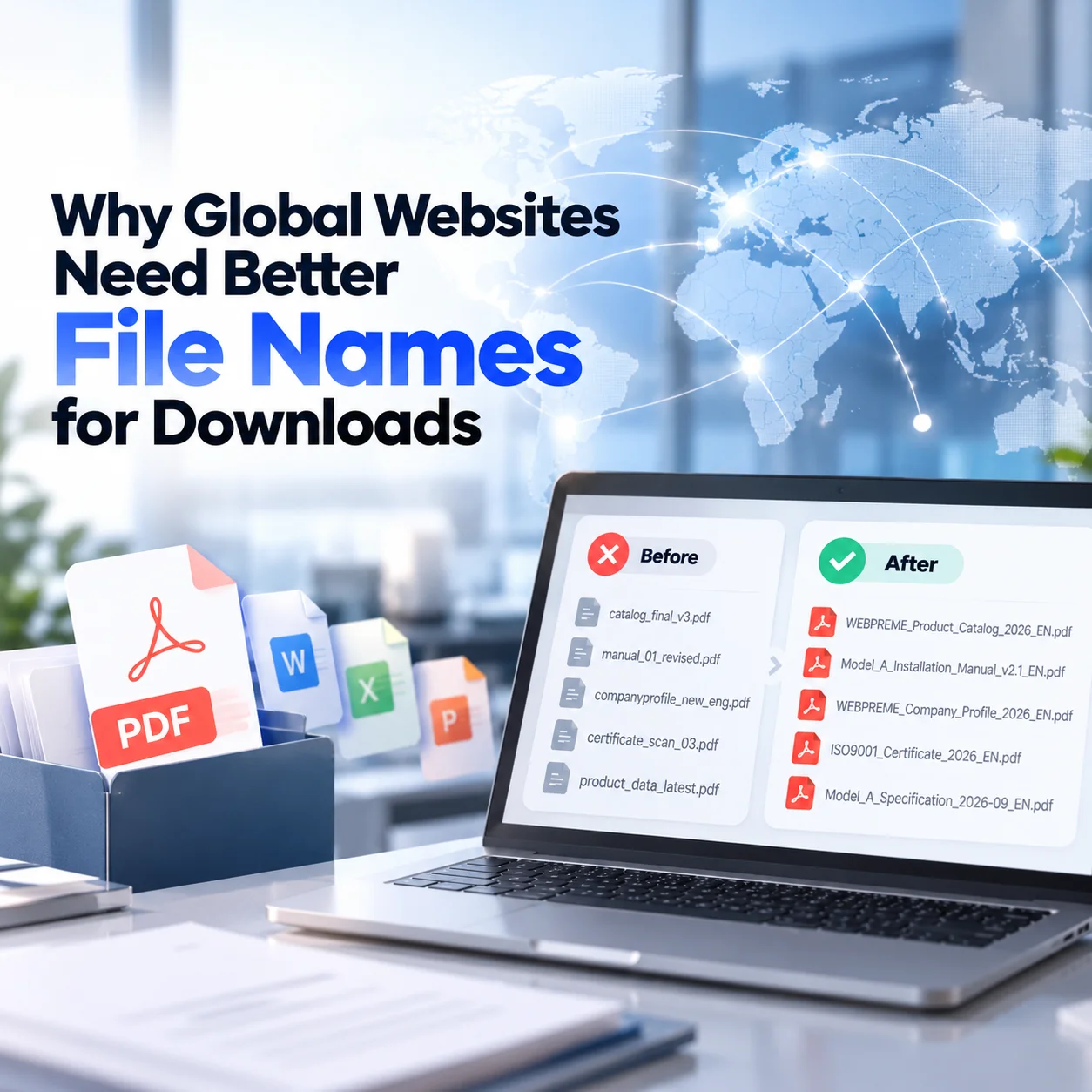
Why Global Websites Need Better File Names for Downloads
Global websites often provide downloadable materials such as product catalogs, technical manuals, certifications, brochures, specification sheets, and company profiles.
The content inside these files may be well organized, but the file names themselves are often treated as an internal matter. As a result, visitors may download files with names such as catalog_final_v3.pdf, 2026_new_final_eng.pdf, or manual_01_revised.pdf.
These names may make sense internally, but they provide very little information to overseas visitors. A downloadable file should be understandable before it is opened, not only after the user downloads it.
File Names Should Tell Visitors What They Are Downloading
A good file name should immediately explain the document.
Instead of:
final_catalog_eng_v5.pdf
a clearer option would be:
WEBPREME_Product_Catalog_2026_EN.pdf
The second version tells the visitor the company, document type, year, and language before the file is opened.
This becomes especially important when a global website contains several catalogs, certificates, manuals, or product documents. Overseas visitors may download multiple files while comparing suppliers, and unclear file names make those documents difficult to identify later.
A useful file name can include information such as:
- company or brand name
- product or product category
- document type
- language
- year or version
The goal is not to make the name as detailed as possible. It is to make it recognizable.
Internal File Names Should Not Be Exposed to Customers
Many confusing download names are created because internal working files are uploaded directly to the website.
Names such as:
catalog_final_final2.pdf
companyprofile_new_eng_fix.pdf
certificate_scan_03.pdf
may be perfectly understandable to the employee who created them, but they reveal the internal document-management process rather than helping the visitor.
A global website should treat downloadable documents as part of the user experience.
Before publishing a file, it is useful to separate the internal working file name from the public download file name.
This small step can make the website feel more organized and professional, especially when international buyers save documents and review them later.
Language and Market Information Should Be Clear
Multilingual websites often provide the same document in several languages.
If every file is simply named catalog.pdf, users may not know which version they downloaded.
Adding a consistent language identifier can prevent confusion.
For example:
Product_Catalog_EN.pdf Product_Catalog_KO.pdf Product_Catalog_JA.pdf
The same principle applies when documents differ by market.
A product certificate valid for Europe may not be the same document used for another region. In this case, the file name should help distinguish the relevant market or certification scope.
The website interface should explain these differences as well, but the downloaded file should still remain understandable after it leaves the website.
Version Control Matters for Technical Documents
File naming becomes more important when documents are updated regularly.
Technical manuals, specification sheets, certifications, and installation guides may change over time. If an overseas customer downloads several versions, names such as manual_new.pdf and manual_latest.pdf do not clearly indicate which one is current.
A date or version number can provide useful context.
For example:
Model_A_Installation_Manual_v2.1_EN.pdf
or
Model_A_Specification_2026-09_EN.pdf
A consistent naming rule also helps the company manage its own files. When website managers replace documents, it becomes easier to identify outdated files and prevent old materials from remaining online.
However, version numbers should only be used when the company actually maintains a versioning system. Random numbers added without a clear process can create more confusion.
File Names Are Part of the Global Website Experience
Downloadable materials are often treated as attachments to a website, but international visitors may spend as much time reviewing these files as they do reading the web pages themselves.
A product catalog may be forwarded internally. A technical manual may be saved by an engineer. A certification file may be reviewed by a purchasing department several weeks after the first website visit.
At that point, the visitor may no longer remember where the file came from.
A descriptive file name helps the document retain its context outside the website.
For global B2B websites in particular, this can make document handling easier for buyers, distributors, engineers, and internal decision-makers.
Final Thoughts
File naming is a small part of global website management, but it affects how easily visitors understand, save, organize, and share downloadable materials.
Instead of uploading documents with internal names such as final_v3.pdf, global websites should use a consistent naming structure that identifies the brand, document type, product, language, market, or version when relevant.
Good file names do not replace well-organized download pages, but they support them.
For companies that provide catalogs, manuals, certifications, technical documents, or brochures to overseas visitors, download file naming should be treated as part of the website’s information structure rather than an internal administrative detail.